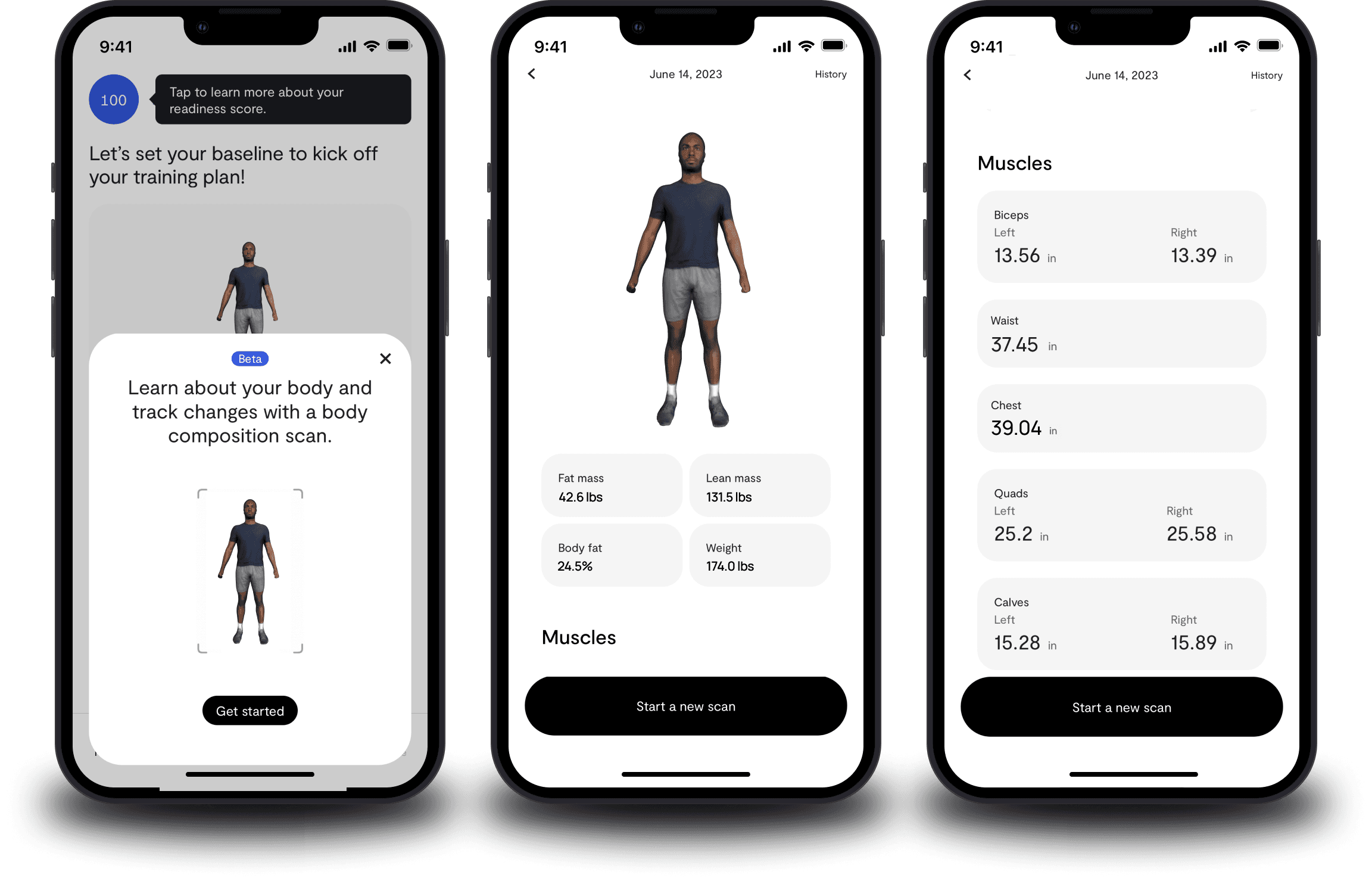
PrismLabs: Precision Body Insights & Health Tracking
A comprehensive mobile solution designed to bridge the gap between scale weight and true health. PrismLabs uses advanced scanning technology to provide users with 3D body metrics, helping them visualize progress and stay motivated through data-driven wellness.
Project Brief
Background
Prismlabs wanted to put together a prototype that would best represent the future of their existing product, which is a full body scanner that images user’s composition.
Company Name
Prismlabs
Job Type
Agency Client
Company Size
1-10
Company Type
Startup
Role
UI/UX Designer
Timeline
4 weeks
Team Size
4
Collaborators
Product Manager, Developers
Project Details
Tools
Figma
Goals
Design a body scanner prototype
Initiatives
Create an experience that can be used in other apps,
Design Process
My process is flexible but always user-first. I start with empathy and problem definition, move into ideation and prototyping, and validate decisions through testing. This cycle allows me to adapt quickly while keeping the user experience at the center.
empathize
ideate
prototype
test
define
empathize
Key UX Methods
I created wireframes to get a better idea of the user's typical flow. We used ideas from other similar apps to create a body scanner with directions that anyone could understand. We finished with a usability test that
wireframes
competitive analysis
usability test
Wireframes
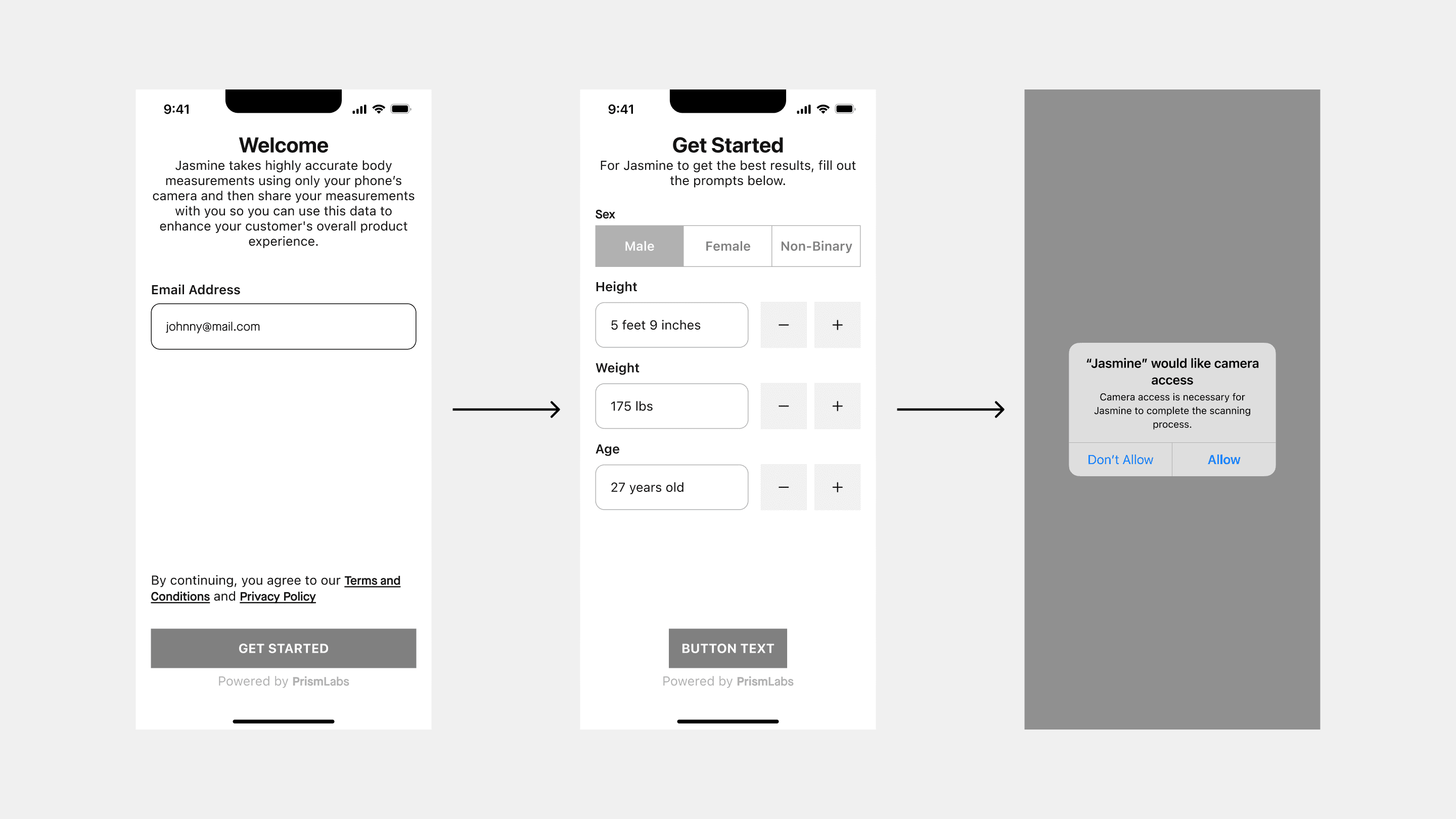
We started with mid-fidelity wireframes to test an initial proof of concept.
Onboarding
We put in onboarding to help gather important data from users that the body scan will be dependent on, such as height, weight, and age.
Capture
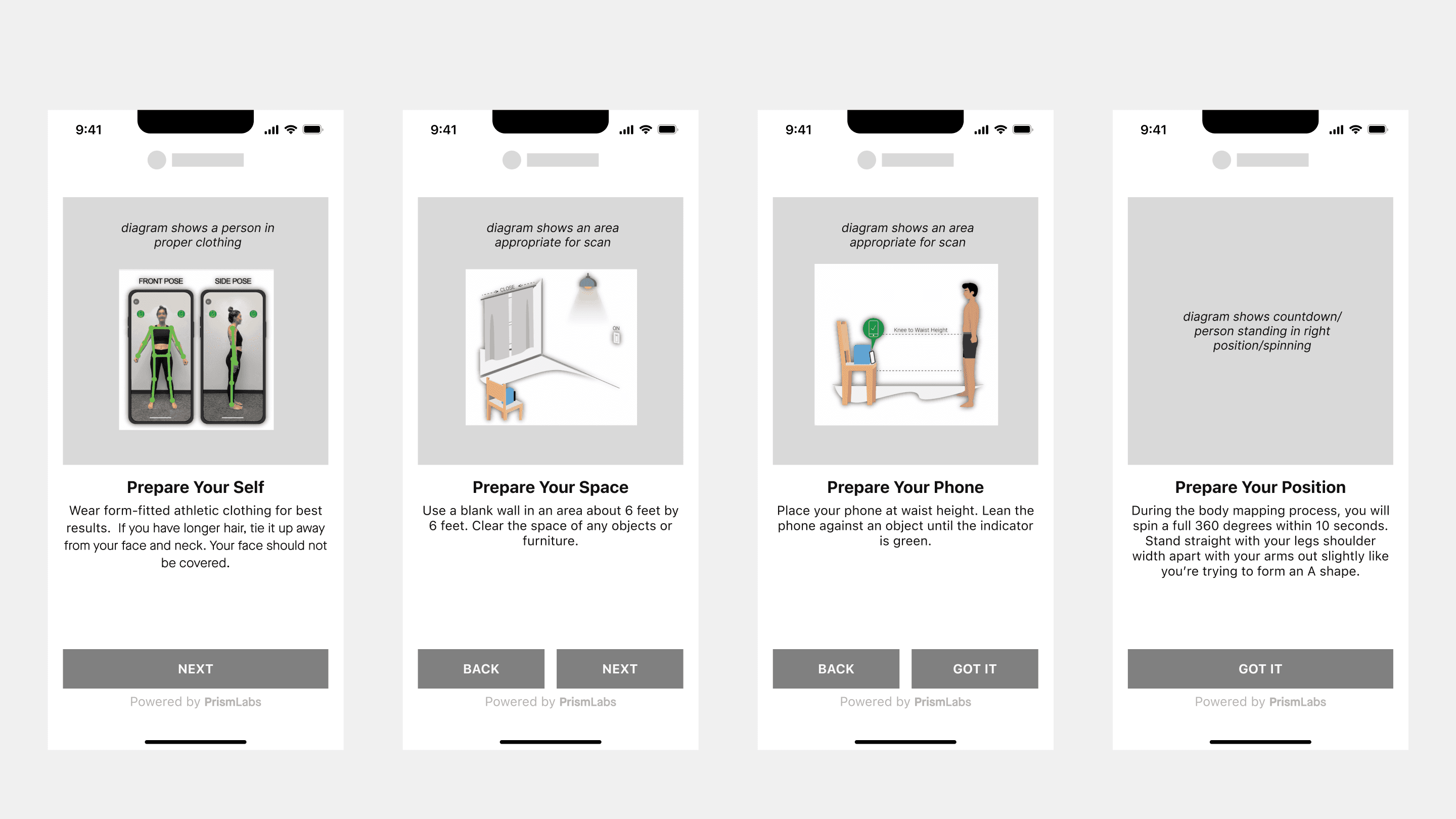
We designed a 4 step capture flow with immovable technical constraints.
the user must place their device 6ft away at waist height.
the user must not have anything covering their faces
the user must not have long hair below the neck
the user must wear fitted attire
the user must not have any items in their surroundings
user must be able to spin during capture to scan the entire body properly
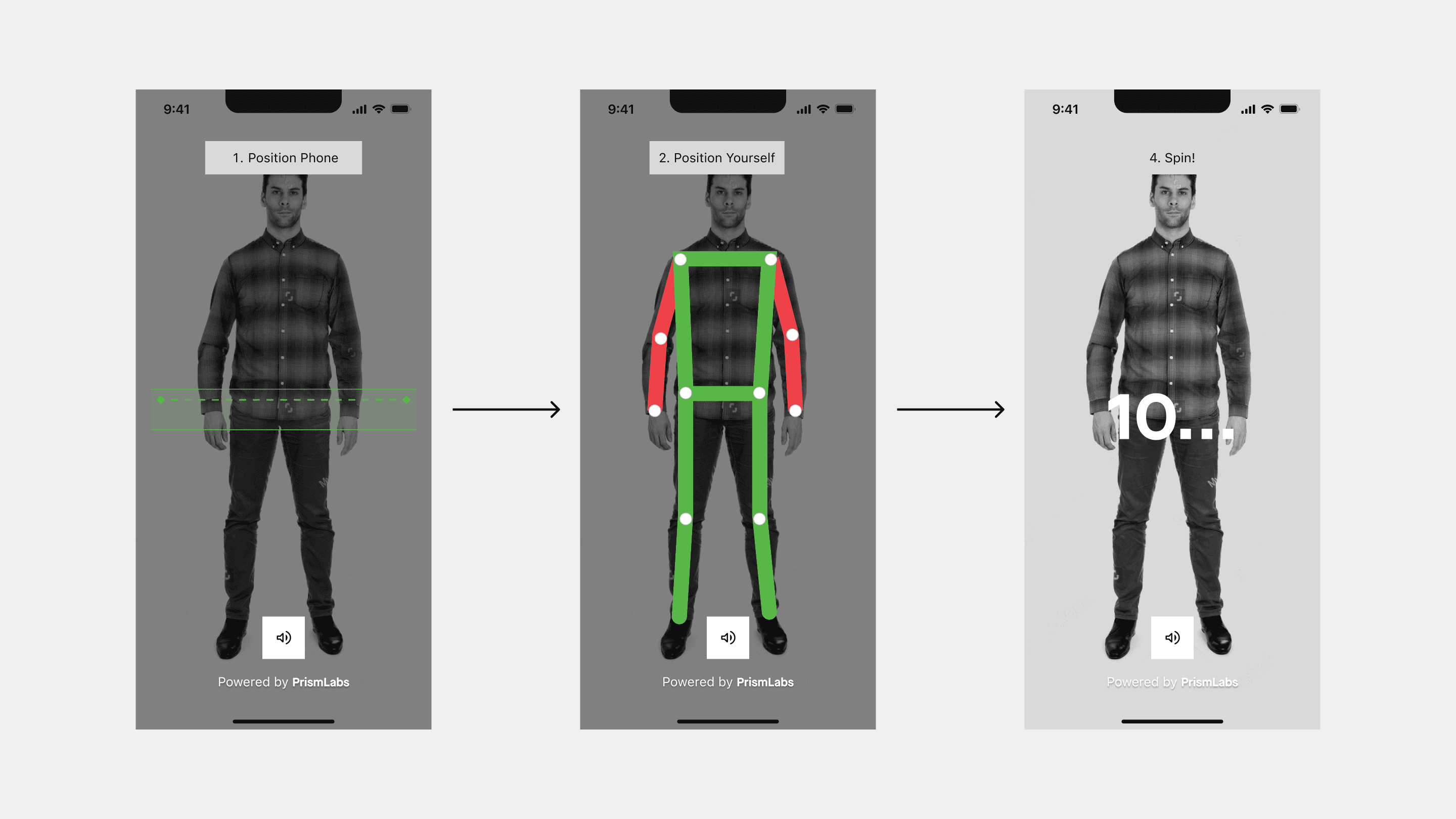
Onboarding
Due to the constraints, we put together an onboarding screen, and visual and audio throughout the capture screen to guide the user, especially if they are alone.
Competitive Analysis
Across competitors like MeThreeSixty, ZOZOFIT, and Bodymapp, the main differentiation lies in the balance between ease of scanning and depth of data insights. Apps that prioritize simplicity tend to offer quicker onboarding and higher accessibility, while more advanced platforms provide deeper analytics but introduce more complexity in the user experience. This suggests an opportunity to design a solution that maintains a simple scanning workflow while delivering meaningful, easy-to-understand insights, reducing friction for new users while still supporting long-term progress tracking.
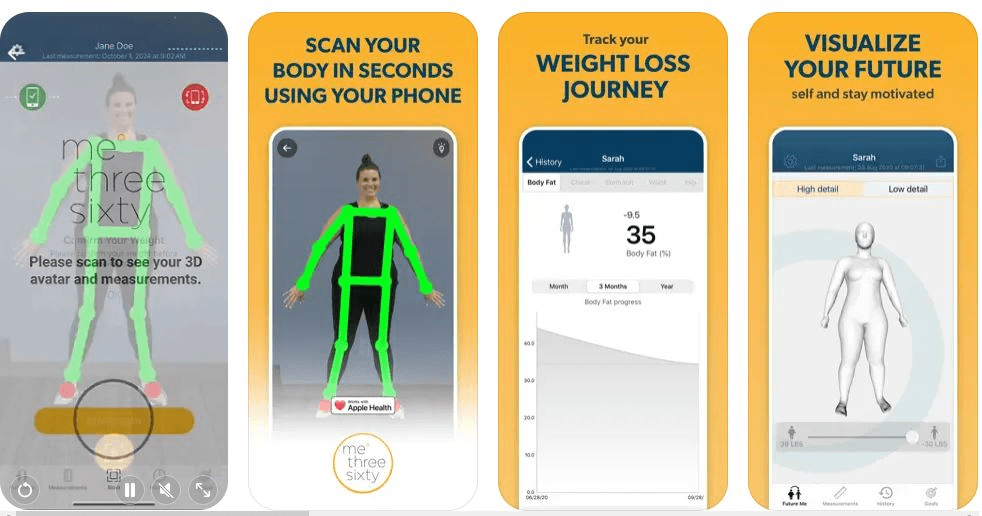
MeThreeSixty
Uses front and side photos to generate a 3D body scan.
Tracks body measurements and estimated body fat percentage over time.
Provides visual progress comparisons between scans.
Simple scanning process with clear onboarding instructions.
Strong focus on motivational progress visualization.
Minimal interface makes the app easy for beginners to use.
Scan accuracy may vary depending on lighting, posture, and clothing.
Limited advanced analytics compared to some competitors.
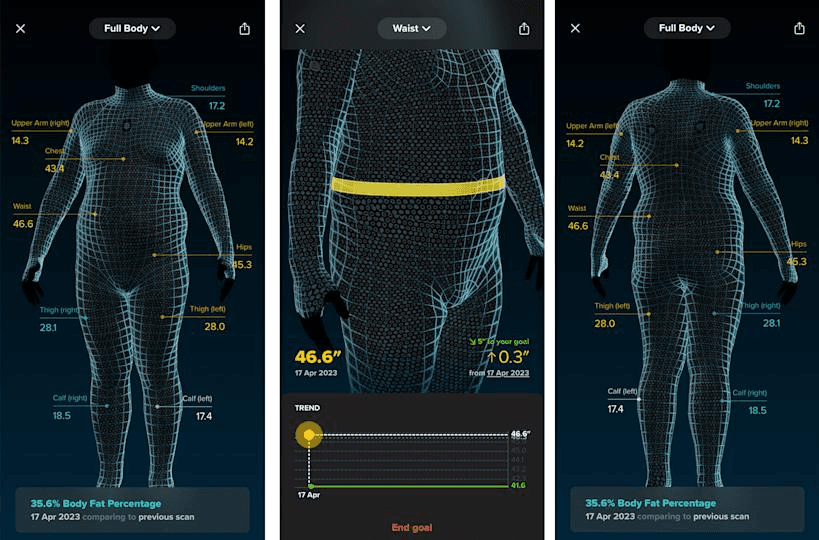
ZOZOFit
Creates 360° body scans to track body shape and measurements.
Offers visual body maps to show where changes occur.
Includes nutrition tracking and goal setting tools.
Can integrate with the ZOZOSUIT wearable for more accurate scans.
Provides data-driven insights and progress reports.
More complex scanning process compared to simpler apps.
Interface contains more features, which can increase cognitive load.
Designed for users focused on detailed fitness tracking.
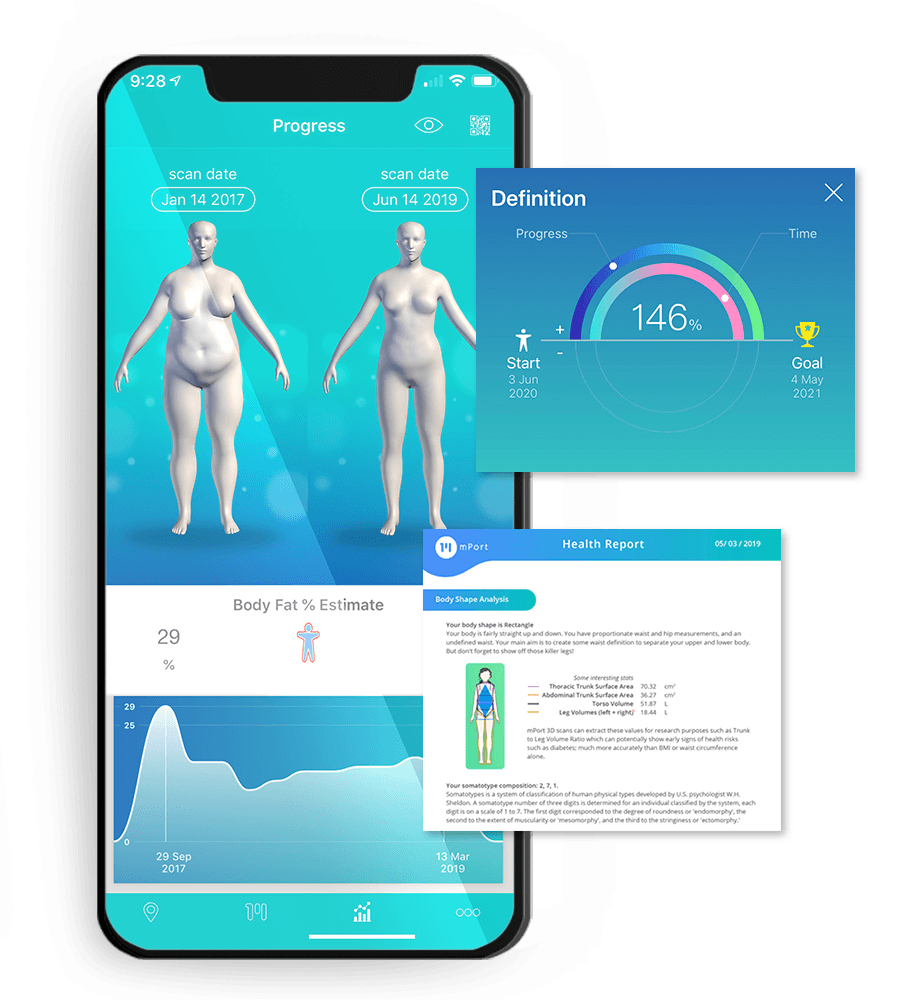
BodyMapp
Uses phone depth sensors to create a 3D body model.
Tracks body composition metrics such as muscle mass and body fat.
Provides health insights and measurement reports.
Integrates with Apple Health for broader health tracking.
Focuses on data-heavy analytics and health metrics.
Requires compatible devices with depth sensors.
Interface and reports can feel more technical for casual users.
Positioned between consumer fitness apps and health monitoring tools.
ideate
Mockups
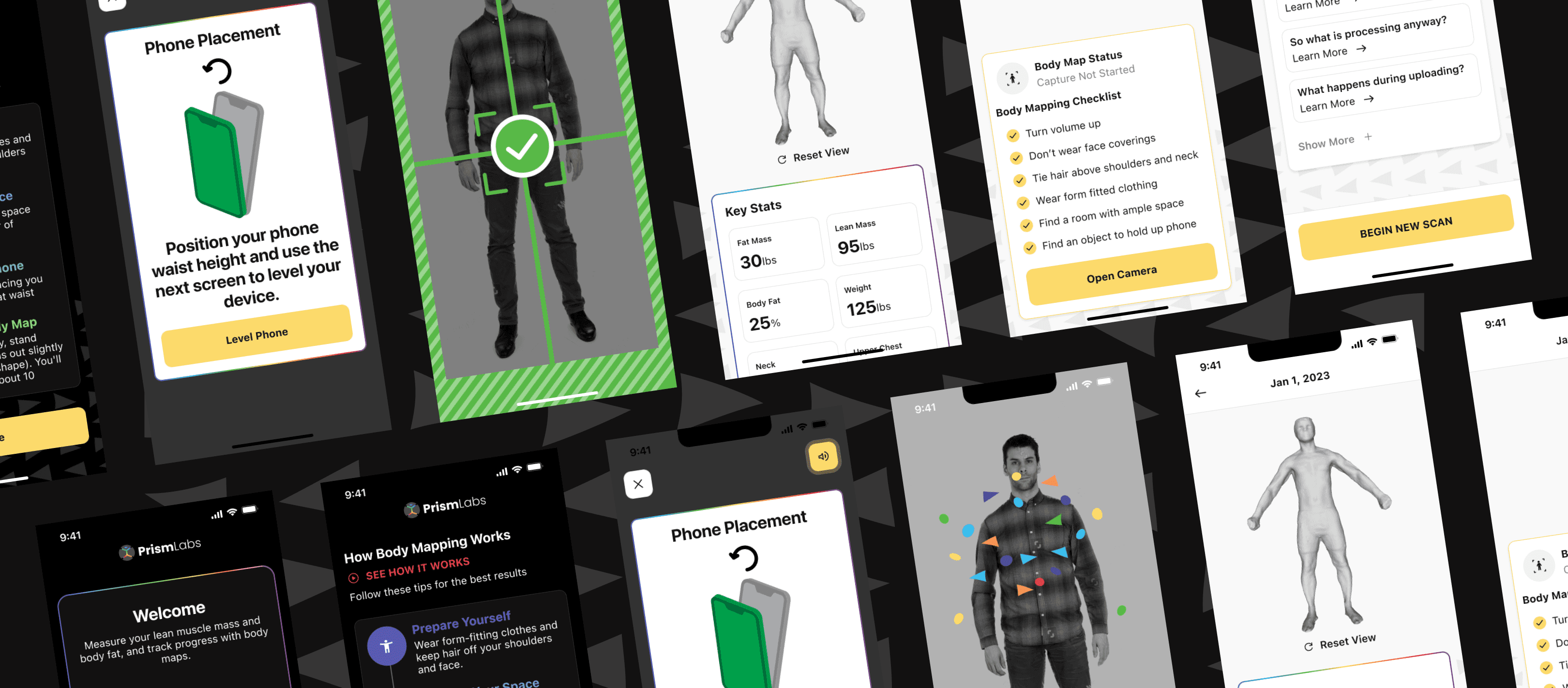
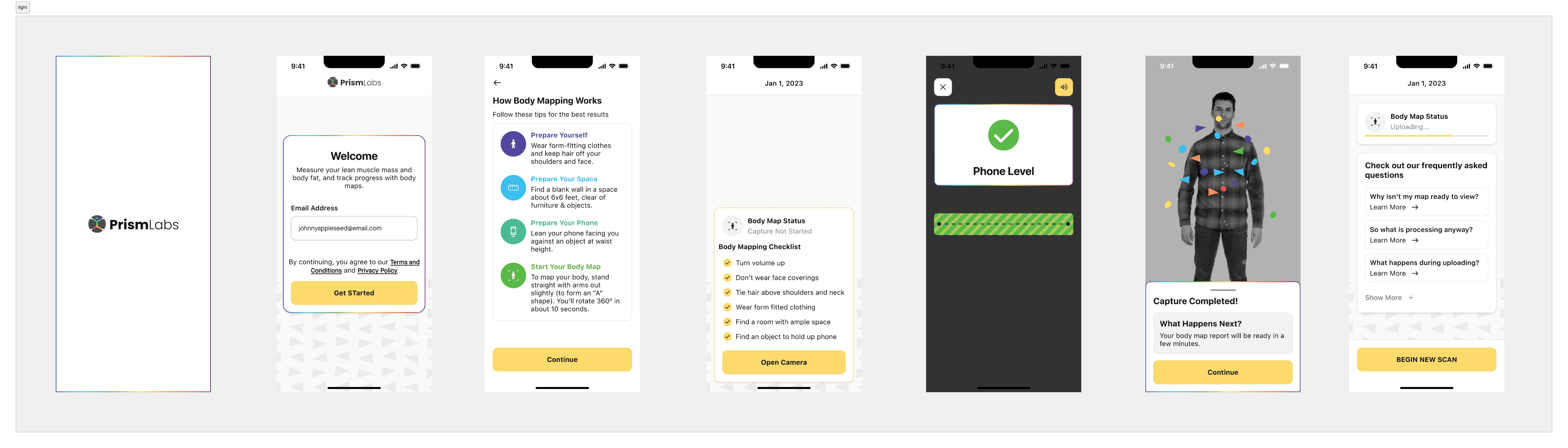
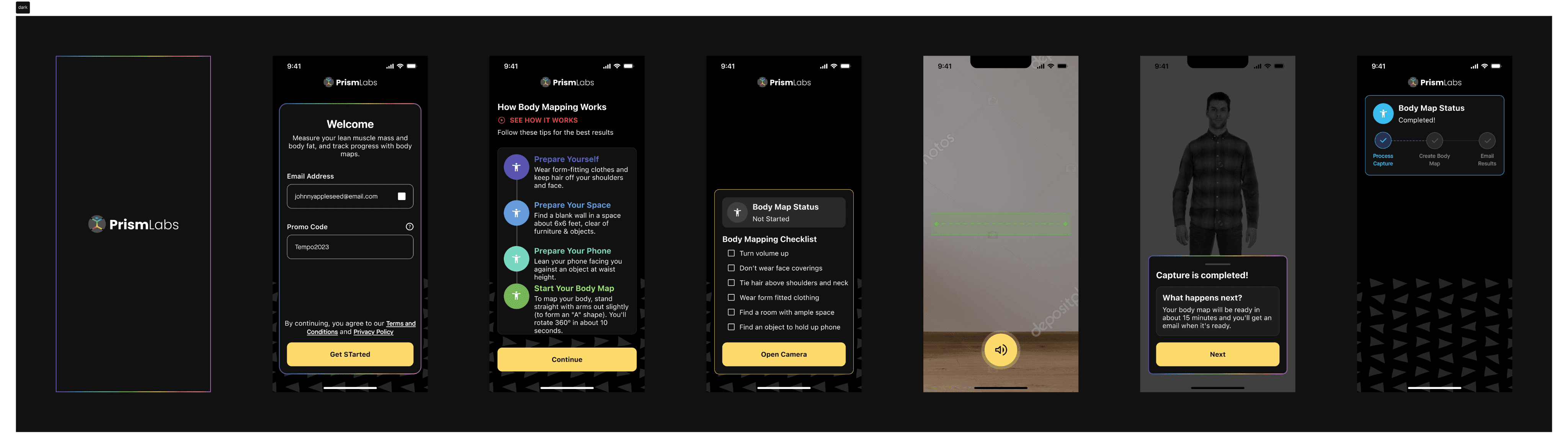
I matched the design system to the company’s so they can sell what feels like a complete product to clients.
Light theme
Dark theme
Usability Testing
Goals & Objectives
The goal of this usability test was to evaluate how intuitively users could move through the core scanning flow — from initiating a body scan to reading their results report. Specifically, I wanted to identify where in the four-step scanning process users experienced confusion, hesitation, or failure, and understand what information or guidance they needed in the moment to stay on track.
Methodology
I conducted moderated usability testing with 3 participants. Each session was observed in real time, allowing me to note exactly which step out of four triggered friction, and whether users abandoned or recovered. Participants were given two primary tasks:
Complete a full body scan using the app
Wait for the scan to process and read through the generated report
Moderating the sessions allowed me to capture not just task completion rates, but the specific moments and reasons behind confusion without interrupting the natural flow of the experience.
Key Findings
The most significant insight was consistent across all three participants: users struggled to follow directions once the phone was placed 6 feet away for the scan. At that distance, on-screen instructions became effectively invisible. Because users couldn't look back at the screen while positioning themselves, they were left without guidance mid-task — a critical gap during what is already a physically awkward interaction.
This pointed to a clear design gap: the app relied on visual instructions during a moment when users couldn't see the screen. Audio cues were absent, and the lack of them caused hesitation, missteps, and repeated failed attempts at scanning steps.
test
Final Results
The first company to purchase the tool released it to 9000 people, and 92% success rate. Of the 8%, 83% tried again and passed. Now we can improve guidance and onboarding to increase chances of a successful scan.
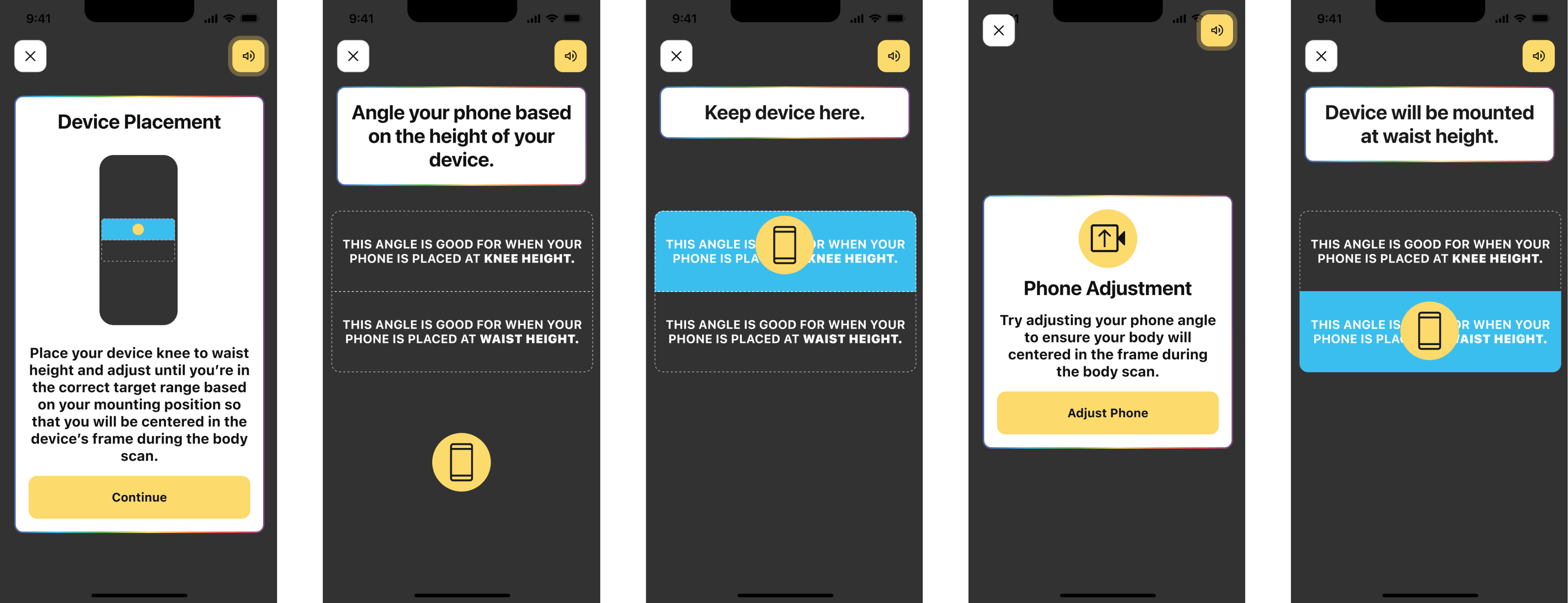
We decided to add voice instructions and really large directions between steps so people get better guidance.
define
Conclusion
The body scanning feature was designed to provide users with a simple and accessible way to track physical progress using only their smartphone. By focusing on clear guidance, an intuitive scanning process, and easy-to-understand results, the experience aimed to reduce friction often found in body measurement and fitness tracking tools.
Following launch, the feature was adopted by over 9,000 users, demonstrating strong engagement and demand for accessible body scanning technology. The initial scan process achieved a 92% success rate, indicating that most users were able to complete the scan correctly on their first attempt. Among the scans that initially failed, 83% were successfully completed on a second attempt after users followed the in-app guidance and adjustments. These results suggest that the onboarding instructions and scan feedback effectively helped users recover from common scanning issues such as positioning or lighting.
The first organization to adopt the technology was Tempo, integrating the scanning capability into their fitness ecosystem to help users track body changes alongside workout performance. Early adoption from a connected fitness brand validated the product’s potential and demonstrated how body scanning can complement broader health and fitness experiences.
Overall, the results highlight that combining clear UX guidance with lightweight scanning technology can make body measurement tools more accessible to everyday users while still providing meaningful progress insights.