Slink: Trimming the Noise Out of Digital Sharing
Long, messy URLs are a barrier to communication. Slink is a minimalist link management tool designed to transform bloated data into elegant, shareable assets. This case study explores how to balance "one-click" functionality with powerful backend customization.
Project Brief
Background
Slink is a link shortening tool for businesses. My job was to redesign their onboarding flow and provide updated branding guidelines to refresh the look of their entire website experience.
Company Name
Slink
Job Type
Agency Client
Company Size
1-10
Company Type
Startup
Role
Web UI/UX Designer
Timeline
6 weeks
Team Size
3
Collaborators
Product Manager
Project Details
Development
HTML/CSS & Webflow
Tools
Figma, Figjam, Jira, Miro
Goals
Improve signups
Initiatives
To reach the goal, the task is divided into 3 initiatives:
2. Improve interface of original web design.
Update onboarding flow with reduced steps and easy to understand steps.
Design Process
My process is flexible but always user-first. I start with empathy and problem definition, move into ideation and prototyping, and validate decisions through testing. This cycle allows me to adapt quickly while keeping the user experience at the center.
empathize
ideate
prototype
test
define
Key UX Methods
I started by listening to users through interviews and analyzing the market landscape through a competitive analysis. Then, I translated findings into wireframes, which evolved through usability testing until the final designs felt intuitive, accessible, and impactful.
wireframes
competitive analysis
usability test
empathize
Usability Test
Initial Interviews
To ground my design in real user needs, I conducted an initial usability test on Slink’s existing onboarding flow. The goal was to identify friction points that might prevent users from quickly shortening links, customizing them, and accessing analytics.
I recruited 5 participants with varying levels of familiarity with link-shortening tools and asked them to complete core tasks: sign up, shorten a link, customize the alias, and locate analytics. During each session, I observed their behavior, measured task completion time, and noted moments of hesitation or confusion.
This baseline test allowed me to capture objective data and qualitative feedback, giving me a clear picture of where users struggled. These insights became the foundation for my redesign strategy, ensuring that every design decision addressed a real usability gap rather than relying solely on assumptions.
1-5 Years Experience
Social Media Manager
“I wasn’t sure if I needed to sign up first or just paste my link.”
5-10 Years Experience
Product Developer
“I pasted my link but nothing happened until I scrolled and clicked the button.”
1-5 Years Experience
Content Creator
“I wish I saw the option to customize before I created the link and now I have to edit it.”
Outcomes
CONCLUSION #1
Unclear entry points for signup
CONCLUSION #2
CTA placement too low
CONCLUSION #3
Customization is hidden
CONCLUSION #4
Analytics buried under unclear labels
Competitive Analysis
While Bitly and Rebrandly focus on advanced link management and marketing analytics, TinyURL prioritizes speed and simplicity. This comparison revealed an opportunity to design a link shortener that balances powerful analytics with a lightweight user experience.
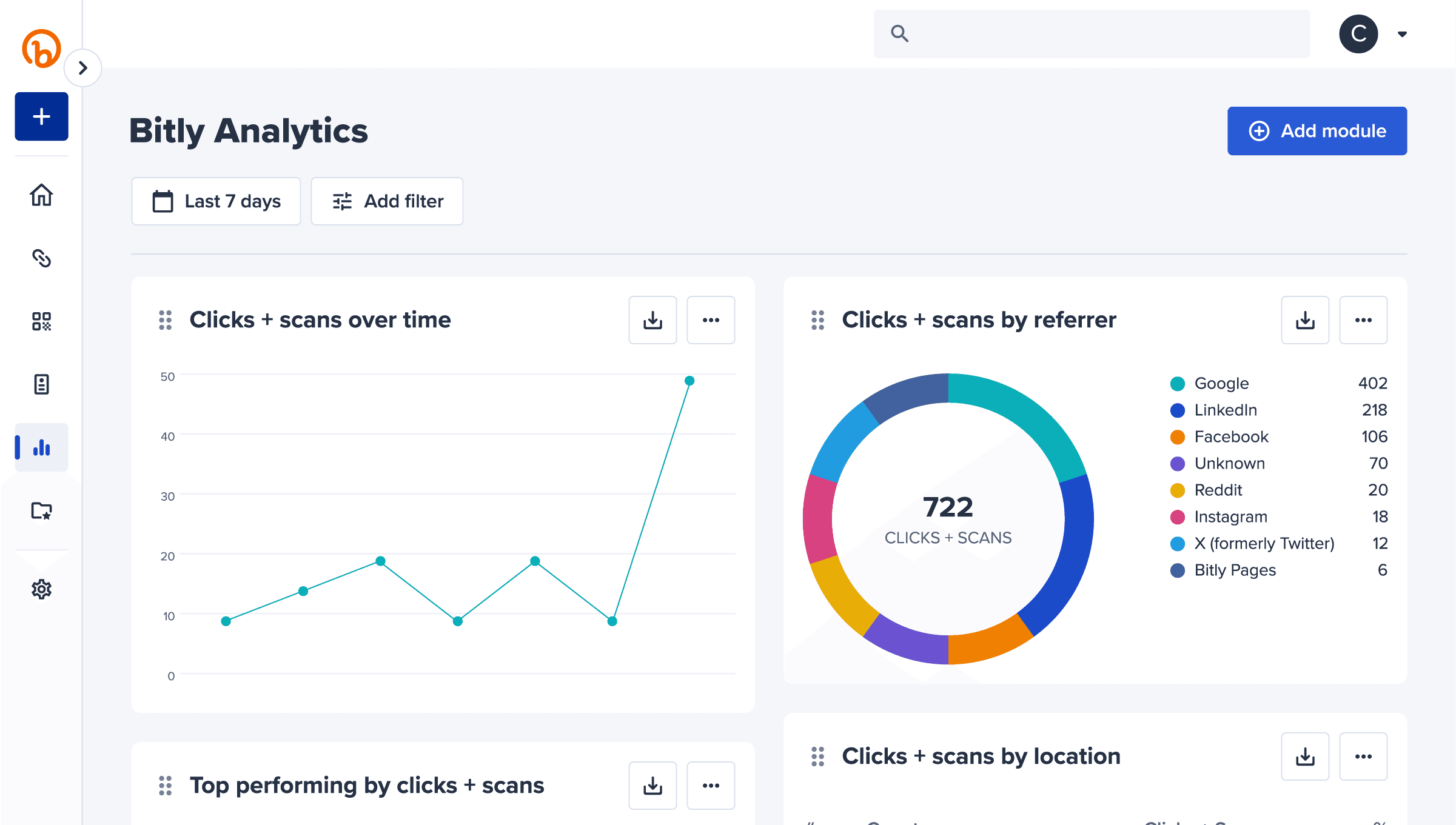
Bitly
Offers a comprehensive link management platform that includes URL shortening, QR code generation, and branded link domains.
Provides detailed analytics dashboards with metrics such as click counts, geographic location, referral sources, and engagement trends.
Supports bulk link creation, integrations, and campaign tracking, making it widely used for marketing and enterprise teams.
Includes advanced link customization features like custom aliases, expiration dates, and targeting by device, country, or platform.
The platform’s wide feature set can create higher complexity for users who only need simple link shortening.
TinyURL
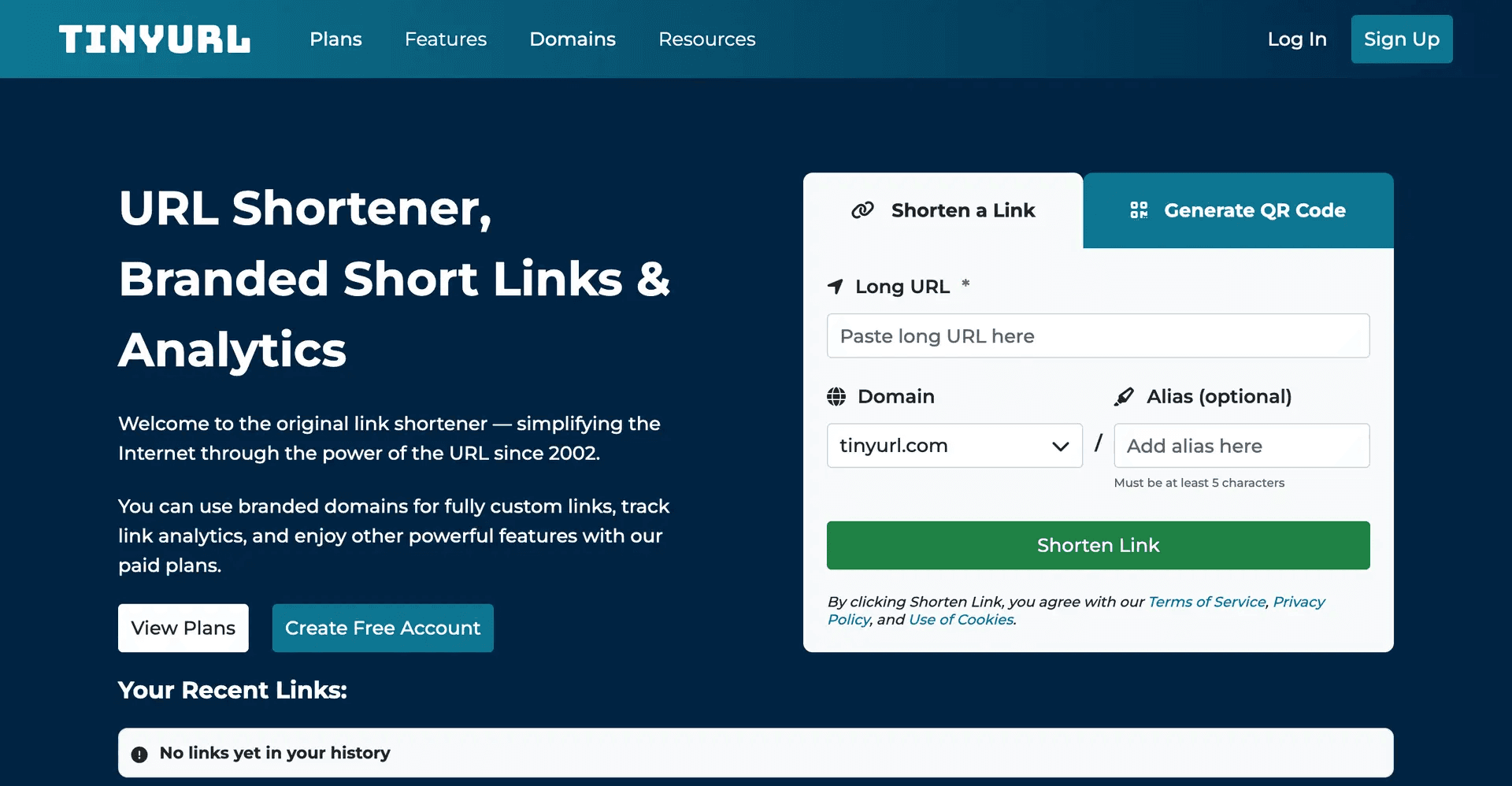
Focuses on simple and fast link shortening, allowing users to generate short URLs without requiring an account.
Provides custom aliases for links, enabling users to create memorable or branded short URLs.
Includes basic link management and tracking features, though analytics capabilities are limited compared to enterprise tools.
The platform emphasizes speed and simplicity, making it popular for quick sharing rather than campaign management.
The minimal interface lacks advanced analytics, integrations, and team collaboration features found in more modern tools.
Rebrandly
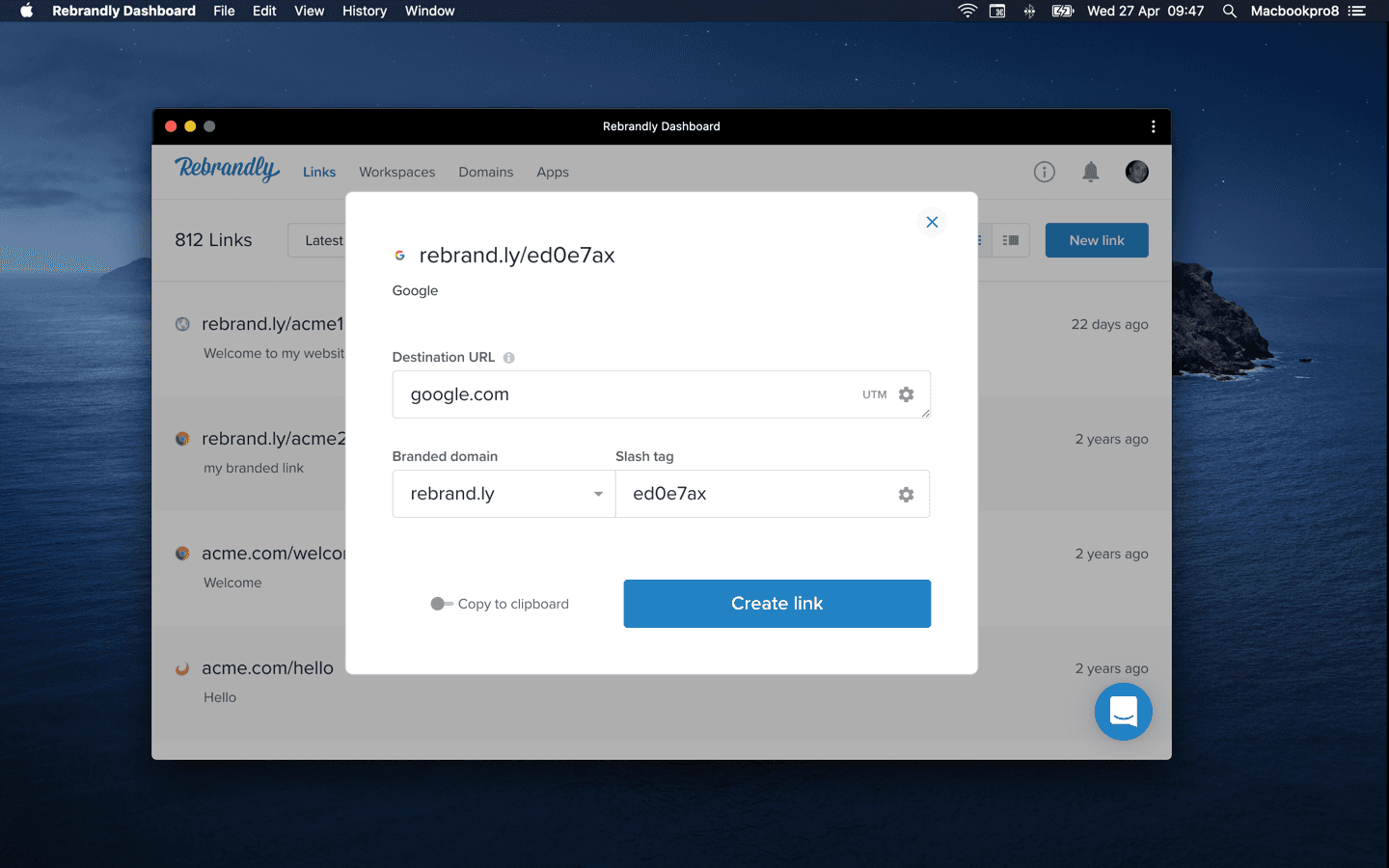
Specializes in branded link creation, allowing businesses to use custom domains for stronger brand recognition.
Provides marketing-focused analytics, including click tracking and campaign performance metrics.
Supports team collaboration features such as shared workspaces and permission management.
Integrates with marketing tools and automation platforms to streamline campaign tracking.
Compared to simpler tools, it requires more setup due to custom domain configuration and branding options.
ideate
Before
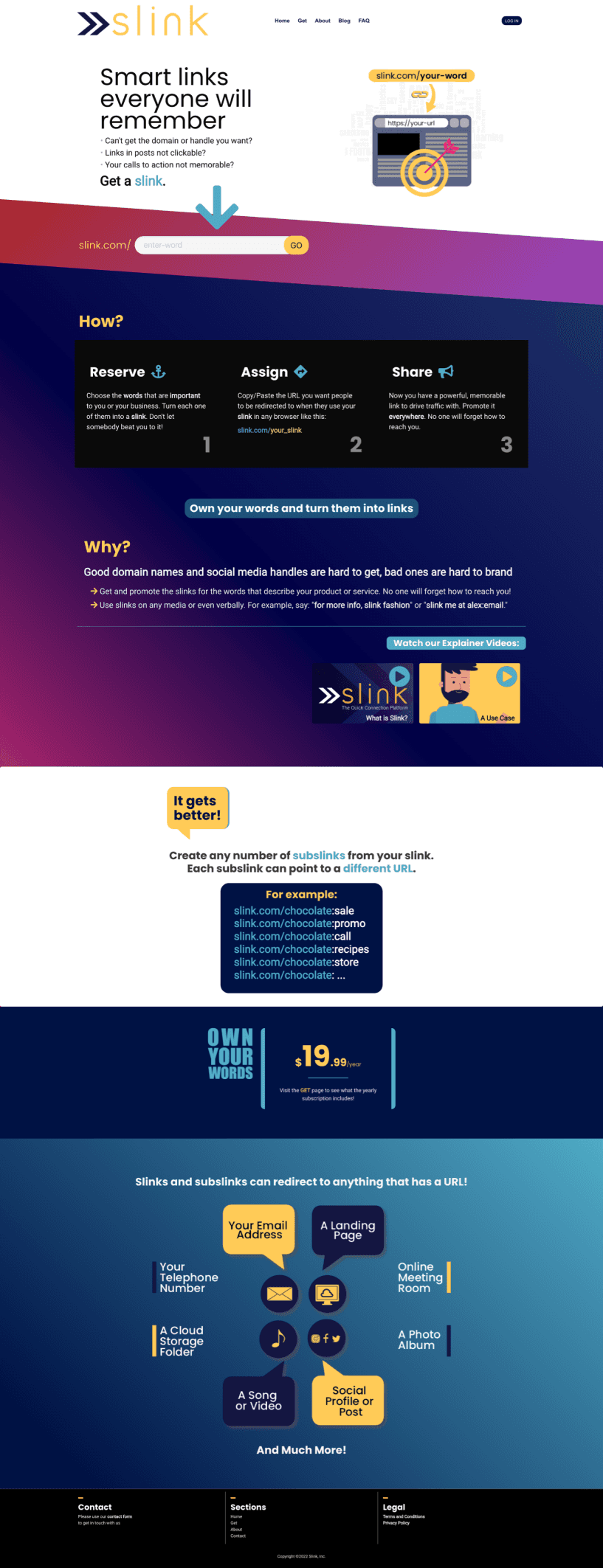
Original Landing Page
UX is good, but the UI needs improvement. Spacing between elements is too small.
The color scheme feels chaotic and inconsistent.
The content feels too rigid in a grid and could benefit from visual examples to help communicate the point.
The direction is good, but the layout should be broken up more.
The pricing section could use more explanation.
There should be a clear call-to-action (CTA) at the bottom of the page to tie the whole page together.
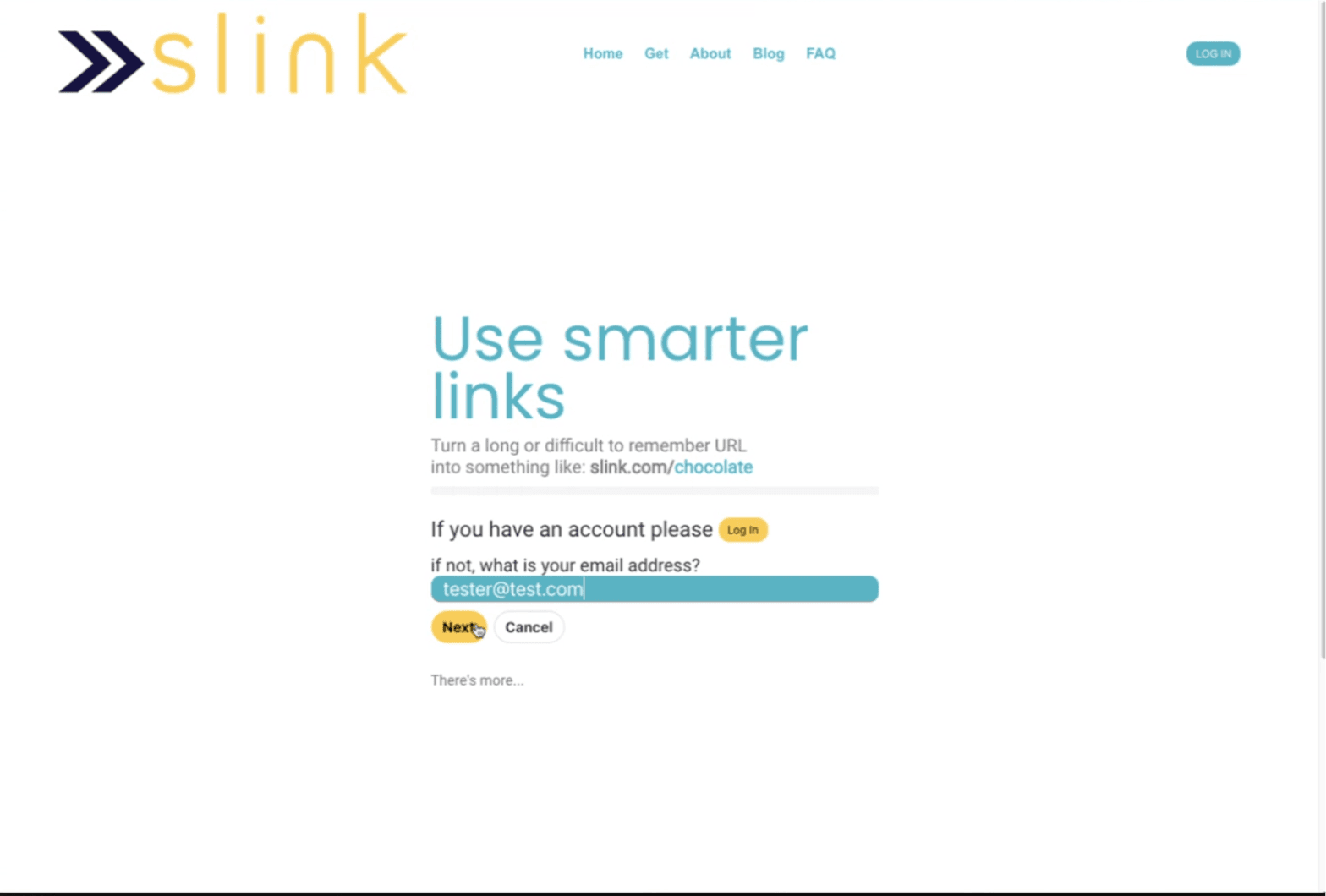
Onboarding
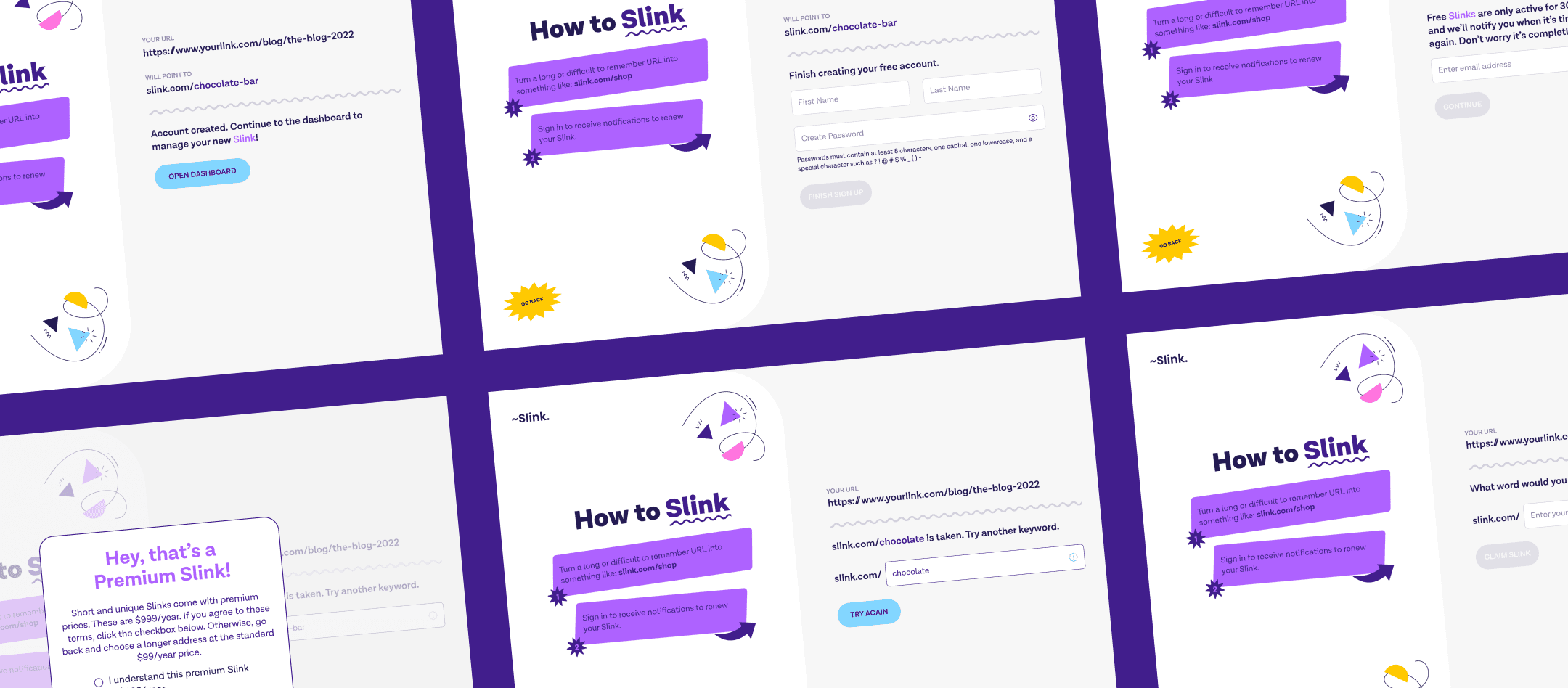
Elements are too close
UI feels small and empty
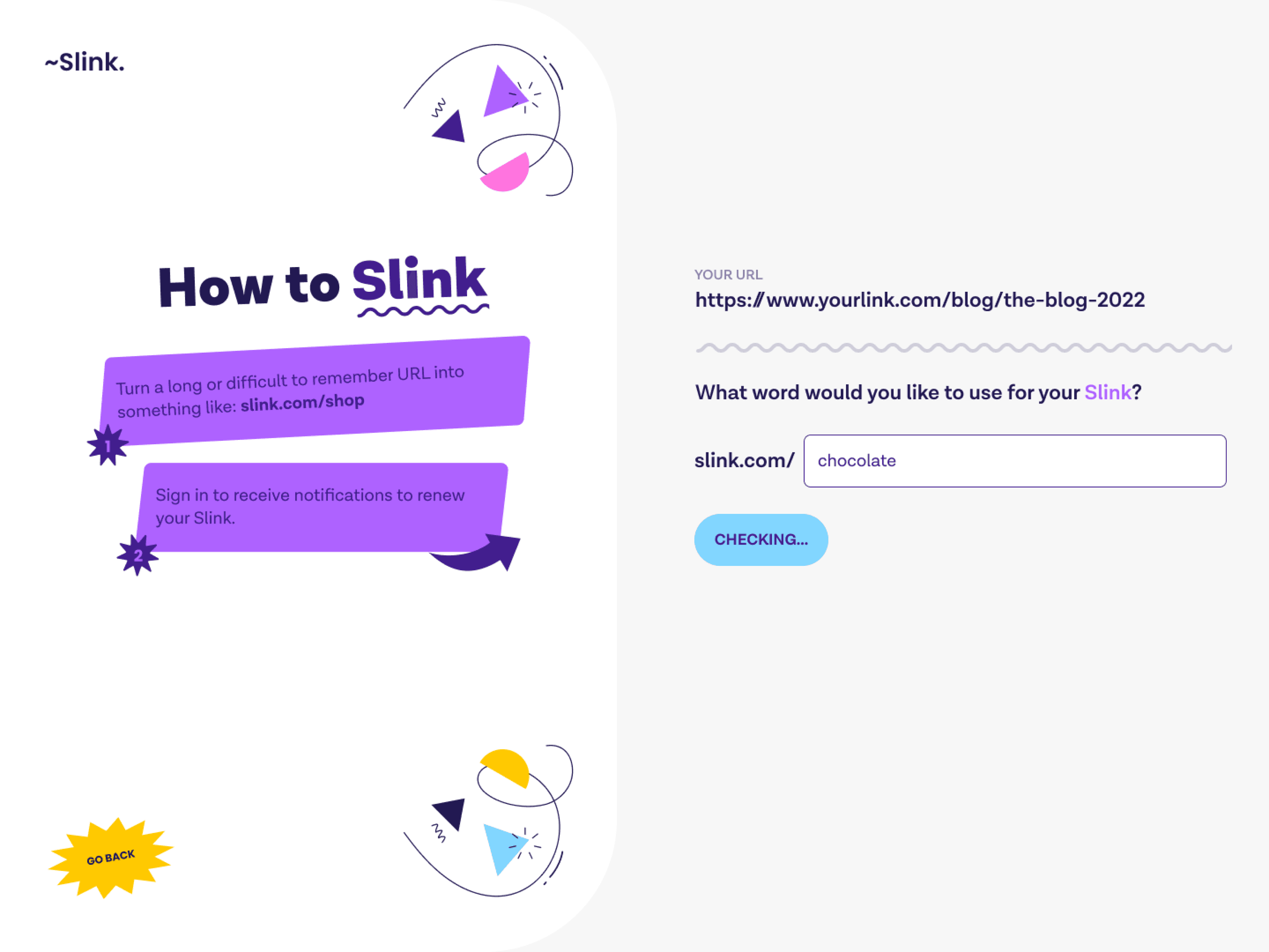
After
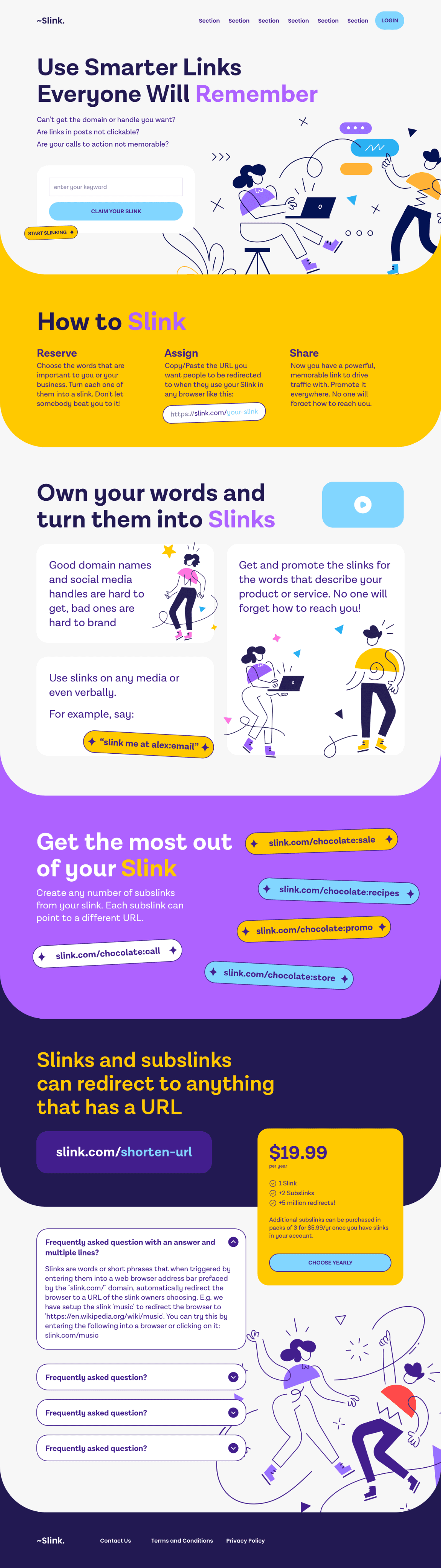
New Landing Page
Clearer visual hierarchy – Headings and text are easier to scan and guide users through the page.
Better spacing – More space between elements makes the layout feel less crowded.
More consistent colors – The color palette feels more organized and intentional.
Stronger call-to-actions – Buttons like “Claim Your Slink” make the main action clearer.
More engaging visuals – Illustrations help break up text and make the page more interesting.
Less rigid layout – Sections feel more flexible instead of being stuck in strict grids.
Clearer feature explanation – “Reserve → Assign → Share” makes the process easy to understand.
Improved pricing section – The pricing card clearly shows cost and what’s included.
Added FAQ section – Answers common questions and helps users understand the product.
Stronger ending to the page – The page flows better and doesn’t feel abrupt.
Compared to platforms like Bitly, Linktree, Rebrandly, and TinyURL:
Clear value proposition – The page focuses on memorable word-based links.
Simple process – The step-by-step flow makes it easy to understand how the product works.
Modern design style – Illustrations and colors make it feel more modern than traditional link shorteners.
Simple pricing – One clear price instead of multiple complicated plans.
Opportunity for improvement – Showing real product screenshots could make it more trustworthy.
define
Conclusion
The redesign improves the overall usability and clarity of the landing page. By increasing spacing, simplifying the color system, and creating a clearer visual hierarchy, the page is easier to scan and understand. Key actions are now more visible through stronger call-to-action buttons, and the step-by-step explanation of how the product works helps users quickly grasp the value of the service. The addition of a pricing card and FAQ section also provides more transparency and answers common questions earlier in the user journey.
Initial testing with users suggests the updated layout helps communicate the product more effectively. In usability feedback sessions, most participants were able to identify the main purpose of the product within the first few seconds, and several noted that the process of reserving and assigning links was easier to understand compared to the previous version. Engagement metrics also showed early improvement, with users spending more time exploring the page and interacting with the feature examples.
Overall, the updated design brings the product closer to the standards of modern SaaS landing pages while maintaining its unique concept. With further iterations, such as adding product screenshots, testimonials, or analytics examples, the page could strengthen credibility and better compete with established link management platforms.